✦ IT TRAINING|WEB & SOFTWARE DEVELOPMENTAdmissions Open 2027
Web Designing Course and Training in Gorakhpur - Dazzling Skill
Professional TrainingGorakhpur

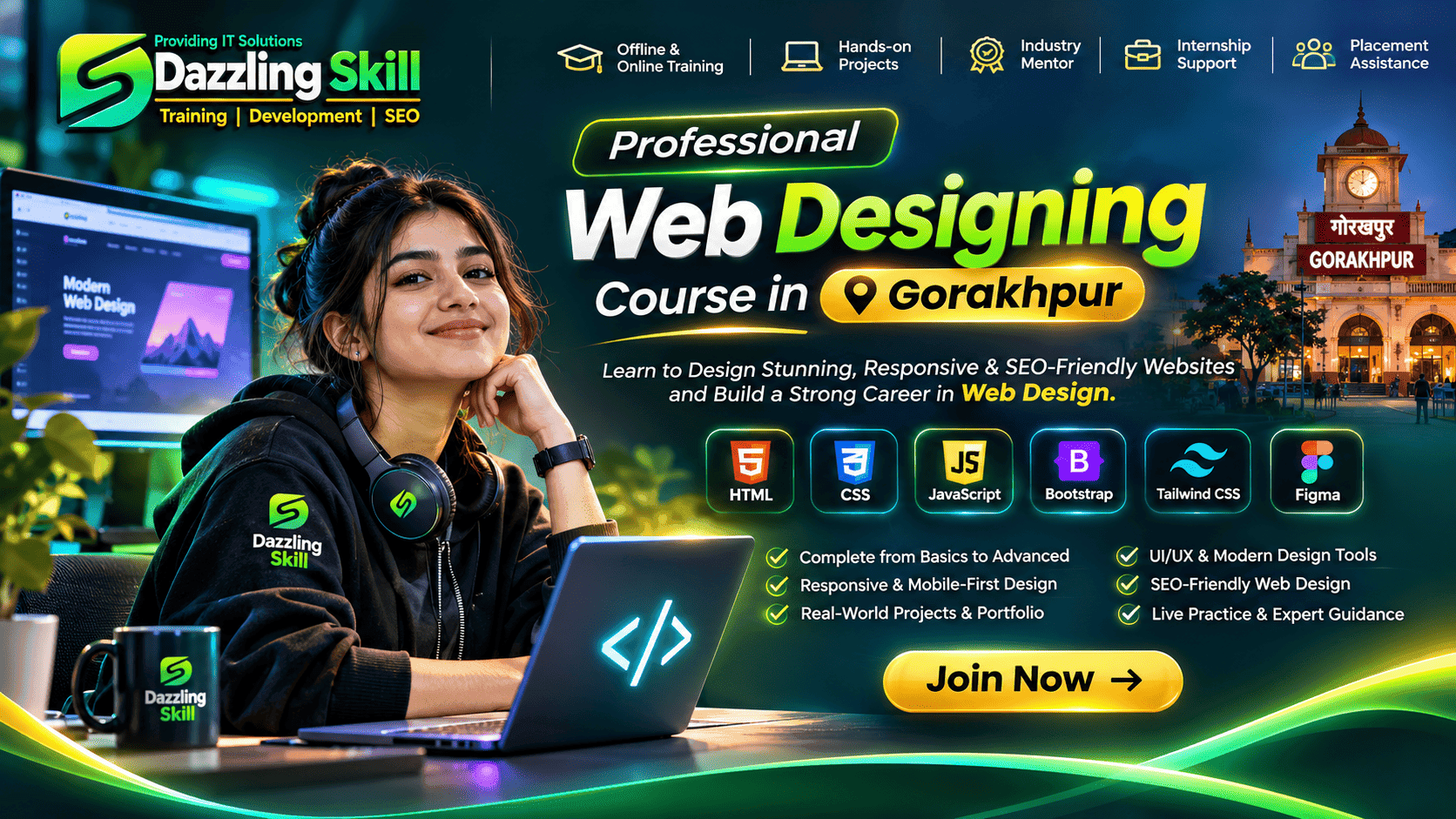
Master the Art ofWeb DesigningCourse & Training in Gorakhpur

Learn to design beautiful, responsive and interactive websites. Build your foundation with modern web technologies and apply your knowledge through practical website projects.

15

Learning Modules

HTML

Core Foundation

UI/UX

Design Concepts

Projects

Practical Learning

Your journey starts here

Web Designing Course in Gorakhpur

Learn professional web designing at Dazzling Skill. Start with HTML5 and CSS3, learn JavaScript, master responsive layouts with Bootstrap and Tailwind CSS, and explore UI/UX design principles. Progress from basic website structures to complete responsive website interfaces through practical learning.

Strong Foundation

Understand HTML, CSS and JavaScript step by step.
Responsive Design

Create interfaces for mobile, tablet and desktop.

Modern UI/UX

Explore layouts, colors, typography and visual design.

Practical Projects

Apply concepts through website-building exercises.

Course coverage, fees, timings and availability are subject to confirmation with Dazzling Skill.

Structured learning roadmap

Complete Web Designing Syllabus

Explore the modules, technologies and practical topics covered in this comprehensive web designing learning outline.

01–04

Web Foundations

05–09

Frontend Skills

10–13

Design & Tools

14–15

Projects

01

01. Introduction to Web Designing

Understand how websites work and explore modern web design.

2–3 Hours
  • What is web designing and web development?
  • How websites work: browser, server and domain
  • Frontend versus backend development
  • Static and dynamic websites
  • Website structure and page layouts
  • Introduction to HTML, CSS and JavaScript
02

02. HTML5 – Structure of Websites

Build the foundation of web pages using HTML5.

5–6 Hours
  • HTML document structure and DOCTYPE
  • Headings, paragraphs and text formatting
  • Links, images and hyperlinks
  • Ordered and unordered lists
  • HTML tables and forms
  • Input types, labels and form validation
  • Semantic HTML5 elements
  • Audio, video and iframe
  • HTML entities and special characters
  • SEO-friendly HTML structure
03

03. CSS3 – Styling & Visual Design

Create attractive website layouts with professional styling.

6–8 Hours
  • CSS syntax and selectors
  • Inline, internal and external CSS
  • Colors, backgrounds and gradients
  • Fonts and typography
  • Margin, padding and borders
  • CSS box model
  • Display and positioning properties
  • Pseudo-classes and pseudo-elements
  • Shadows, borders and rounded corners
  • CSS transitions and transformations
  • Introduction to CSS animations
04

04. CSS Layout – Flexbox & Grid

Create modern layouts that adapt to different screen sizes.

4–5 Hours
  • CSS Flexbox fundamentals
  • Flex direction and wrapping
  • Justify-content and align-items
  • CSS Grid fundamentals
  • Rows, columns and grid areas
  • Responsive card layouts
  • Positioning and stacking context
  • Creating modern navigation layouts
  • Practical layout exercises
05

05. Responsive Web Design

Design websites for mobile, tablet and desktop devices.

4–5 Hours
  • Responsive design fundamentals
  • Mobile-first design approach
  • Viewport and responsive units
  • Media queries
  • Breakpoints and device layouts
  • Responsive navigation menus
  • Responsive images
  • Mobile-friendly forms
  • Testing layouts across screen sizes
06

06. Bootstrap 5 Framework

Build responsive pages using Bootstrap components.

4–5 Hours
  • Introduction to Bootstrap 5
  • Installing through CDN
  • Containers and grid system
  • Rows and responsive columns
  • Buttons, cards and alerts
  • Navbar and dropdowns
  • Forms and validation styling
  • Modals and accordion components
  • Bootstrap utility classes
  • Building responsive pages
07

07. Tailwind CSS

Build modern interfaces using utility-first CSS.

4–5 Hours
  • Introduction to Tailwind CSS
  • Installation and project setup
  • Utility-first styling concepts
  • Spacing, typography and colors
  • Flexbox and grid utilities
  • Responsive breakpoints
  • Hover, focus and active states
  • Gradients and shadows
  • Reusable UI components
  • Building premium website sections
08

08. JavaScript Fundamentals

Add logic, interaction and dynamic behaviour to websites.

6–8 Hours
  • Introduction to JavaScript
  • Variables: let, const and var
  • Data types and type conversion
  • Operators and expressions
  • Conditional statements
  • Loops and iteration
  • Functions and parameters
  • Arrays and objects
  • String and array methods
  • Events and event handling
  • DOM selection and manipulation
  • Form validation
  • Basic interactive web applications
09

09. Modern JavaScript & Browser APIs

Explore modern JavaScript features and browser APIs.

4–5 Hours
  • Arrow functions
  • Template literals
  • Destructuring and spread operators
  • Array methods: map, filter and reduce
  • DOM events and event delegation
  • LocalStorage and SessionStorage
  • JSON fundamentals
  • Fetch API introduction
  • Promises and async/await basics
  • Debugging using browser developer tools
10

10. UI/UX Design Fundamentals

Design websites that look professional and are easy to use.

4–5 Hours
  • Difference between UI and UX
  • Design principles and visual hierarchy
  • Color theory and color combinations
  • Typography and font pairing
  • Spacing and alignment
  • Website wireframing
  • User journeys and navigation
  • Consistency and design systems
  • Accessibility fundamentals
  • Introduction to Figma
11

11. Figma & Design-to-Code

Convert visual designs into working web pages.

3–4 Hours
  • Figma interface introduction
  • Frames and components
  • Working with text and colors
  • Auto Layout fundamentals
  • Designing website wireframes
  • Basic prototyping
  • Exporting assets
  • Converting designs into HTML and CSS
12

12. Website Optimization & SEO Basics

Improve usability, performance and search accessibility.

3–4 Hours
  • Image optimization
  • CSS and JavaScript optimization basics
  • Page speed fundamentals
  • Semantic HTML and accessibility
  • Title and meta description
  • Heading hierarchy
  • Alt text and image accessibility
  • Internal linking
  • Mobile-friendly website principles
  • Introduction to Core Web Vitals
13

13. Git, GitHub & Deployment

Learn version control and publishing websites online.

3–4 Hours
  • Introduction to Git
  • Installing and configuring Git
  • Git init, add and commit
  • Working with GitHub repositories
  • Push and pull fundamentals
  • Hosting static websites
  • Introduction to Vercel and Netlify
  • Domain and hosting fundamentals
  • Website deployment basics
14

14. Practical Website Development

Develop complete responsive website interfaces.

Variable
  • Planning a website structure
  • Creating a professional homepage
  • Building responsive navigation
  • Creating hero sections and banners
  • Designing service and product cards
  • Contact forms and footer sections
  • Mobile and desktop optimization
  • Testing and debugging
  • Publishing the completed website
15

15. Final Portfolio & Project

Bring your learning together through practical projects.

Variable
  • Selecting a project idea
  • Creating a layout and design plan
  • Developing reusable components
  • Responsive implementation
  • Adding interactive functionality
  • Testing across screen sizes
  • Optimizing website assets
  • Deploying the project
  • Documenting and presenting your work

Important Course Information

Module hours are indicative learning estimates, not guaranteed class schedules or total course duration. Actual topics, pace and practical sessions may vary according to the selected batch.

What Is Web Designing?

Web designing is the process of planning and creating the visual appearance, structure and user experience of websites. It involves combining layout, colors, typography, images and interactive elements to make websites attractive, accessible and easy to use.

What Can You Create with Web Designing?

Business Websites

Professional websites for businesses and service providers.

E-commerce Interfaces

Product listings, category pages and shopping interfaces.

Portfolio Websites

Personal portfolios to showcase skills and projects.

Landing Pages

Conversion-focused marketing and promotional pages.

Educational Websites

Course pages and learning platform interfaces.

Dashboard Interfaces

Modern user interfaces for web-based applications.

Web Designing Course Objectives

Develop a structured understanding of modern frontend technologies and practical website design.

Understand the structure and working of websites.
Create semantic HTML5 web pages.
Style websites professionally using CSS3.
Design responsive layouts using Flexbox and Grid.
Build interactive interfaces using JavaScript.
Use Bootstrap and Tailwind CSS.
Understand UI/UX and visual design principles.
Convert Figma designs into web interfaces.
Apply basic website optimization and SEO principles.
Use Git and GitHub for version control.
Deploy suitable websites online.
Build and present practical website projects.

Web Designing Training Features

🧠

Concept-Based Learning

Understand the fundamentals behind each web technology.

💻

Hands-on Coding

Practise HTML, CSS and JavaScript through coding exercises.

📱

Responsive Design

Learn to create interfaces for multiple screen sizes.

🎨

Creative UI/UX

Understand layouts, typography, color and usability.

🛠️

Practical Projects

Apply your knowledge to real-world website scenarios.

🚀

Deployment Basics

Understand how to publish suitable websites online.

Tools & Technologies You Will Explore

Understand the technologies used in modern frontend design and website development.

HTML5

CSS3

JavaScript

Bootstrap 5

Tailwind CSS

Figma

Git & GitHub

VS Code

Tool versions and installation methods may vary. Additional frameworks can be studied separately.

Learn with purpose

Why Choose Dazzling Skill?

Learning web designing should involve more than memorising tags and CSS properties. Focus on understanding design principles, practising code, creating responsive layouts and building projects that demonstrate your skills.

Who Should Join This Course?

🎓

School Students

Explore website design and understand the fundamentals of how websites are created.

💻

BCA & MCA Students

Strengthen your frontend skills and develop practical projects alongside academic studies.

⚙️

B.Tech & Engineering Students

Develop practical website-building skills and improve your project portfolio.

🌱

Complete Beginners

Start learning HTML and CSS without requiring previous coding experience.

💼

Aspiring Freelancers

Build a foundation for developing website interfaces for potential clients.

🏢

Business Owners

Understand the basics of website structure, design and digital presentation.

Flexible Learning Options

Choose Your Web Designing Course Plan

Select the learning mode and class duration that match your schedule and learning goals. Online learning is also available.

Online Learning🌐

Online Course

Learn web designing remotely with online classes.

₹4,000/ month
  • Online learning mode
  • HTML5 & CSS3
  • JavaScript fundamentals
  • Responsive web designing
  • Bootstrap & Tailwind CSS
  • UI/UX fundamentals
  • Practical website projects
Standard Plan🎓

Standard Course

A balanced learning schedule with focused daily sessions.

₹3,000/ month
⏱ 1 Hour Daily Class
  • Structured learning schedule
  • HTML5 & CSS3 fundamentals
  • JavaScript programming
  • Responsive web design
  • Bootstrap & Tailwind CSS
  • UI/UX design concepts
  • Practical website exercises
Premium
Fast Track⚡

Fast Track Course

An intensive learning plan with extended daily class time.

₹4,500/ month
⚡ 2 Hours Daily Class
  • Extended daily learning sessions
  • HTML5 & CSS3
  • JavaScript programming
  • Advanced responsive layouts
  • Bootstrap & Tailwind CSS
  • UI/UX and Figma fundamentals
  • Practical website development
ℹ️

Admission & Fee Information

All prices are monthly fees. Online learning is available at ₹4,000 per month. The Standard plan includes 1-hour daily classes, and the Premium Fast Track plan includes 2-hour daily classes. Please contact Dazzling Skill to confirm batch timings, class schedules, admission availability and payment terms. The course duration is approximately 3–6 months, depending on the selected learning plan.

What Will You Learn?

Create structured web pages using HTML5.
Style professional interfaces using CSS3.
Build layouts using Flexbox and CSS Grid.
Develop mobile-friendly responsive websites.
Create interactive website components using JavaScript.
Use Bootstrap and Tailwind CSS.
Understand UI/UX and Figma fundamentals.
Build business and portfolio website interfaces.
Use browser tools to debug frontend code.
Understand website optimization and basic SEO.
Manage code using Git and GitHub fundamentals.
Understand the process of website deployment.

Actual proficiency depends on practice, project work and the topics covered in your selected learning track.

Explore your possibilities

Web Designing Skills & Career Paths

Web designing skills can support several frontend and design-related career paths. Each role may require additional knowledge, experience and practical projects.

Web Designer

HTML, CSS, responsive layouts and visual design

Frontend Developer

HTML, CSS, JavaScript and frontend frameworks

UI Developer

HTML, CSS, JavaScript and reusable interfaces

UI/UX Designer

Figma, wireframes, prototyping and usability

WordPress Website Designer

Website layouts, themes, HTML and CSS

Freelance Web Designer

Responsive websites, portfolios and client projects

Career opportunities are not guaranteed and depend on your skills, portfolio, experience and market conditions.

Practical Web Designing Projects

Apply your knowledge through different types of website development exercises. These are suggested project ideas; confirm the guided projects included in your batch.

👨‍💻Beginner

Personal Portfolio Website

Create a personal website with an introduction, skills, projects and contact information.

Skills Applied

HTML, CSS, Flexbox and responsive design

🌐Beginner

Business Landing Page

Design a professional landing page with a hero banner, services, benefits and enquiry section.

Skills Applied

HTML5, CSS3, Bootstrap and UI design

🍽️Beginner

Restaurant Website

Build a restaurant website with menu cards, images, navigation and contact details.

Skills Applied

HTML, CSS, Bootstrap and responsive layouts

🛍️Intermediate

E-commerce Frontend

Create product listings, product cards, category sections and a shopping interface.

Skills Applied

HTML, CSS, JavaScript and DOM manipulation

🚀Intermediate

Agency Website

Develop a multi-section agency website with services, portfolio and enquiry components.

Skills Applied

Tailwind CSS, JavaScript and UI/UX

📊Advanced

Interactive Dashboard

Create an interactive dashboard interface with dynamic data and responsive components.

Skills Applied

JavaScript, DOM, CSS Grid and API basics

Beginner practical tutorial

Create Your First HTML Web Page

Start your web designing journey by creating a simple HTML page using headings and paragraphs.

Step 1: Write your HTML code

index.html
<!DOCTYPE html>
<html>
<head>
  <title>My First Website</title>
</head>
<body>
  <h1>Welcome to My Website!</h1>
  <p>I am learning Web Designing.</p>
</body>
</html>

Step 2: Understand the HTML elements

<!DOCTYPE html>

Declares the document as an HTML5 document.

<html>

The root element of an HTML document.

<head>

Contains page information and metadata.

<title>

Defines the browser tab title.

<body>

Contains the visible webpage content.

<h1>

Defines the main heading of the page.

<p>

Defines a paragraph.

Step 3: Run your first webpage

  1. Install Visual Studio Code or use a suitable text editor.
  2. Create a new project folder.
  3. Create a file named index.html.
  4. Paste the HTML code and save the file.
  5. Open the file in your web browser.
  6. Observe the webpage displayed in the browser.

Expected browser output

Welcome to My Website!

I am learning Web Designing.

Free Web Designing Learning Resources

Continue learning with these useful documentation websites and design resources.

📘
Web development documentation

MDN Web Docs

Learn HTML, CSS, JavaScript and browser technologies through detailed documentation.

Explore Resource
🎓
Beginner tutorials

W3Schools

Explore beginner-friendly tutorials and examples for HTML, CSS and JavaScript.

Explore Resource
🌐
HTML reference

HTML Living Standard

Explore the technical standard behind HTML and modern web page structure.

Explore Resource
🎨
CSS reference

CSS Documentation

Learn CSS properties, layouts, selectors and modern styling techniques.

Explore Resource
⚡
JavaScript guide

JavaScript Guide

Study JavaScript language fundamentals and advanced concepts.

Explore Resource
🧩
Bootstrap guide

Bootstrap Documentation

Learn responsive layouts and components using Bootstrap 5.

Explore Resource
💎
Tailwind documentation

Tailwind CSS

Explore utility-first styling and modern responsive design.

Explore Resource
🖌️
Design platform

Figma

Explore visual design, wireframes, prototypes and interface design.

Explore Resource

Your learning matters

Student Feedback

A good learning experience combines clear concepts, practical coding, regular exercises and useful feedback. Contact Dazzling Skill to understand the current learning arrangements.

💬

Explore the Course Before Enrolling

Ask about the course structure, practical activities, batch schedule and learning support.

Everything you need to know

Web Designing Course FAQs

Find answers to common questions about web designing, course duration, fees, technologies, projects and admission.

A Web Designing course teaches you how to create and style websites using technologies such as HTML, CSS, JavaScript, Bootstrap and Tailwind CSS. It can also introduce responsive design, UI/UX and practical website development.

Please contact the institute to verify current admission details, fees, batch schedules and certification terms.

Turn your creativity into skills

Ready to Start Your Web Designing Journey?

Learn modern web technologies, understand responsive design and build practical website projects with Dazzling Skill in Gorakhpur.

DAZZLING SKILL · LEARN · CREATE · BUILD